The edit menu
Last updated 2 February 2010
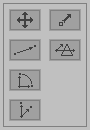
Move selection
This is the edit mode you will probably need most. In this mode you can move vertices by dragging them.
Vector translation
Translates the selection according to the vector you draw.
Vector rotation
Rotates the selection according to the vectors you draw.
Vector scaling
Scales the selection according to the vectors you draw.
Move vertex
This is a combination of the select vertex and move selection buttons: you can move vertices by clicking them and dragging them.
Plane clipping
Cuts all selected triangles that intersect the plane. This is useful for creating cross sections.